


Voice GPS Navigation Direction
4.016.00 Reviews
App Specs
- Version
- 1.6.2
- Updated On
- License
- Free
- Downloads
- 100,000+
- Developer
- Appsiun Technology
- Categories
- Maps & Navigation
- Platform
- Android
Screenshots


 Analysis by AppCompare
Voice GPS Navigation Direction is a free Android navigation app from Appsiun Technology that aims to make everyday driving easier with spoken guidance and route planning. I approached it as the kind of tool someone might install before a trip, then decide whether it deserves a permanent place on the phone. Its appeal is immediate: enter a destination, follow the suggested route, and let voice instructions reduce the need to keep checking the screen.
That simplicity matters. Navigation apps are most useful when they disappear into the background, because the driver can concentrate on traffic, signs, and road conditions rather than constantly operating a map. In my experience, this app is easiest to appreciate when I treat it as a practical companion for familiar errands, occasional drives, and straightforward journeys rather than as a complete replacement for every specialized mapping service.
What the first week feels like
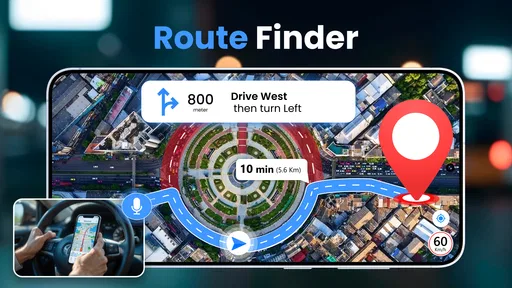
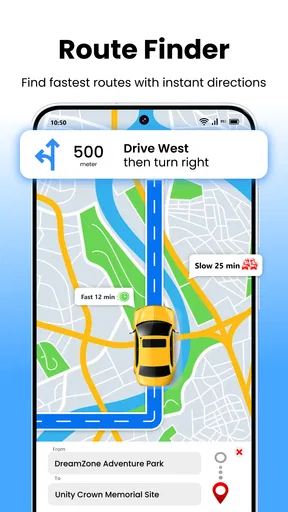
The first few uses are likely to be the strongest part of the experience. A voice-led route gives the app a clear job, and the store’s summary accurately reflects that focus: it is built around turn-by-turn navigation and driving directions. I found the concept easy to understand without needing to learn an elaborate system. The useful habit is to set the destination before moving, check the route briefly, and then rely on the spoken prompts as the drive develops.
That workflow is especially comfortable for a short trip across town. Imagine leaving work to collect a parcel from an unfamiliar neighborhood. Instead of stopping repeatedly to read street names, I can start the route, place the phone where it remains visible without becoming a distraction, and listen for the next instruction. The value is not that the app transforms driving; it is that it removes a small amount of mental juggling from an ordinary journey.
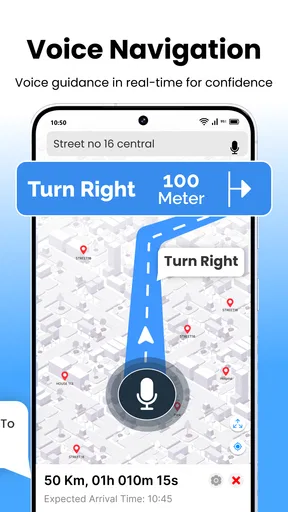
The voice component is important here. A map that requires frequent visual checking can become inconvenient, particularly at complicated intersections or when traffic is moving quickly. Spoken directions let me keep my attention forward for longer. I still verify the screen when several roads are close together, but the audio guidance makes the route feel less demanding than manually following a static map.
Its free entry point also makes experimentation easy. I can try it for a few commutes or a weekend trip without first committing money. The app is rated for Everyone, which fits its general-purpose presentation, and it does not feel aimed at a narrow professional audience. Someone who wants basic voice navigation rather than a large collection of travel tools can understand its purpose quickly.
The early appeal is helped by the fact that it belongs to a familiar category. There is no need to rethink how navigation works: destination first, route second, spoken instructions during the drive. That familiarity is a strength for people who dislike complicated interfaces. At the same time, it means the app must earn continued use through reliability and convenience, because the basic idea is already available from established map platforms.
Worth Reading Before You Choose

EA SPORTS FC Mobile 26 Is a Bigger Football Game, but It Takes Time

Flipboard Shows What News Apps Must Do Beyond the Feed

Switching to Android Auto Means Rethinking Your Driving Routine

Google Calendar Makes a Crowded Week Easier to Manage

Ludo King Makes the Most of the Minutes Between Plans

Baby Panda World Brings Quick Play to Modern Phones, but Its Game Library Feels Busy
One practical tip is to use the first week as a test of your own driving routine rather than simply trying one route. I would use it for a familiar commute, an unfamiliar local destination, and a longer drive. The first reveals whether the directions fit naturally into daily travel; the second shows how well I can interpret the guidance when I do not already know the roads; the third exposes whether the experience remains comfortable after the novelty wears off.
Where it is most useful
This app makes the most sense for drivers who want a direct navigation tool on an Android phone running a compatible operating system. The minimum requirement is Android 9, so it is not aimed at very old devices. For someone with a supported phone who mainly needs voice directions, that requirement is reasonable and keeps the audience broad without suggesting that the app is designed for every device ever made.
I can also see it helping occasional drivers. If I only need navigation a few times each month, I may not want a more crowded travel application filled with extra layers, saved places, social information, or other features I rarely touch. A focused route planner can be less intimidating, especially for a family member who wants instructions and little else.
It is less compelling for a person who expects navigation to cover every part of a journey. Cyclists, walkers, public-transport users, delivery drivers, and travelers who need detailed offline planning may reasonably prefer a service built specifically around those needs. Voice GPS Navigation Direction is at its best when the central task is driving from one place to another.
Whether it keeps earning space after the first month
The harder test for any navigation app is not the first successful route. It is whether I remember to open it again when another journey comes up. Month-to-month value comes from reducing friction: the app needs to be quick enough to start, clear enough to trust, and useful often enough that I do not automatically return to another map application.
For regular local driving, the recurring benefit is modest but real. I might know most of the route to the supermarket or office, yet still want guidance when road layouts change or when I take an unfamiliar turn. Voice prompts can also be useful when I am driving in a busy area and prefer not to keep interacting with the phone. In that role, the app becomes a backup layer rather than something I study before every trip.
There is a useful distinction between route planning and route discovery. If I already know where I am going and simply want instructions, this app’s purpose is clear. If I am deciding where to stop, comparing several places, researching an entire holiday, or combining multiple travel modes, a broader mapping service may save time. The more my needs move beyond driving directions, the less likely this focused tool is to become my only navigation app.
The current version is 1.6.2, and the app was released on May 28, 2024. Those details place it in a relatively recent stage of its life, which makes continued maintenance especially important for long-term confidence. A navigation app is not something I judge only by its first launch. Roads, devices, operating systems, and user expectations change, so I want an app that remains comfortable to use over repeated months rather than one that feels like a one-time novelty.
Its average rating is 4.0 from around 1.3 thousand ratings, while the app has received 16 written reviews. I read that as a useful but limited signal: enough public response to suggest that people are using it, but not enough written discussion to answer every practical question about sustained daily use. I would therefore judge it personally over several routes instead of treating the rating as a guarantee.
The install figure is over 100 thousand, which gives the app a meaningful user base without placing it in the same familiarity bracket as the biggest navigation names. That can be positive for someone looking for an alternative, but it also reinforces my cautious approach. I would keep a familiar backup available until I had tested the app on the roads I use most, especially before relying on it for an important appointment or a long unfamiliar journey.
How it compares with the usual alternatives
The obvious comparison is with larger map applications that combine driving directions with place searches, traffic context, reviews, saved locations, and other travel information. Those alternatives usually win when I want a single map for many kinds of planning. They may also feel more dependable simply because they are already integrated into my daily digital routine.
Voice GPS Navigation Direction can still be the better choice when I want a narrower experience. A focused app may be easier to open when the only question is how to drive to a destination. It can also appeal to someone who finds broad map interfaces visually busy. The trade-off is that I should not expect the same breadth of surrounding information just because both products display a route.
Compared with a dedicated offline navigation tool, the decision depends on travel style. For a person who regularly drives through areas with weak connectivity, offline capability is a deciding factor and should be checked before depending on any app. For ordinary connected trips, a straightforward voice route may be sufficient. I would not choose this app solely because it looks simpler if my journeys regularly cross remote areas or unfamiliar countries.
The same comparison applies to built-in car navigation. A dashboard system can be more convenient because it is already positioned for the driver and may be easier to see. A phone app is more flexible when I change vehicles or travel as a passenger, but it requires more attention to placement and setup. That is not a flaw unique to this app; it is a practical difference between phone-based navigation and integrated vehicle hardware.
The maintenance burden behind a simple navigation tool
Navigation apps create a particular kind of maintenance burden. Even when the interface is simple, I still need to keep the phone ready, place it safely, check the destination before departure, and make sure the spoken guidance is usable in the car. The app itself may be easy to understand, but navigation is never entirely hands-off from the user’s side.
I would build a small pre-drive routine around it. First, choose the destination while parked. Next, glance at the route for obvious mistakes, such as selecting the wrong branch of a similarly named place. Then set the volume and position the phone so the screen can be checked briefly without becoming the focus of attention. This takes little time, yet it prevents the common mistake of trying to configure navigation after the car is already moving.
Another useful habit is to treat voice prompts as assistance rather than absolute authority. I still watch road signs, lane markings, temporary closures, and local instructions. A navigation app can direct me toward a road that looks correct on the map while real-world conditions have changed. The safest long-term relationship with Voice GPS Navigation Direction is cooperative: let it handle route memory, but keep human judgment in charge.
The in-app purchase range is from $8.99 to $38.99 per item. That makes the free starting point attractive, but it also means I would pay attention to what any optional purchase actually adds before spending money. For a navigation app, a purchase should solve a recurring problem in my routine, not merely reward curiosity during the first week. If I only use voice directions occasionally, the free experience may be enough; if an optional feature becomes central to repeated trips, the value depends on that specific need.
I would also avoid making a purchase before testing the app on several realistic routes. A short drive can make almost any navigation tool seem effective. Longer use reveals whether the voice timing, route presentation, and overall workflow suit me. Paying early can turn a small experiment into a commitment before I know whether the app will remain part of my routine.
What can become tiring
The first source of fatigue is repetition. Once the novelty of trying a new navigation app fades, spoken directions become useful only when they are accurate, timely, and unobtrusive. If I already know my regular routes, opening another app can feel like an unnecessary step unless it gives me a clear reason to do so.
The second is divided attention. Voice guidance reduces screen use, but it does not remove the need for judgment. I may still need to confirm a turn, interpret a complicated junction, or recover after missing an instruction. If I find myself staring at the phone to understand the route, the convenience has weakened. In that situation, a larger dashboard display or a navigation system with clearer lane presentation may be a better fit.
The third is the gap between a focused route planner and a complete travel assistant. I may appreciate the clean purpose at first, then miss the surrounding context when planning a more complicated day. For example, a trip involving several stops can require more preparation than a simple point-to-point drive. If the app does not fit that wider planning habit, I may keep it installed but rarely open it.
There is also a personal reliability threshold. I am willing to forgive a little setup friction in a free app I use occasionally, but not in something I depend on for every important journey. That is why I would keep another trusted option available during the evaluation period. The backup is not a criticism of Appsiun Technology; it is sensible practice whenever navigation accuracy and timing matter.
People who should probably skip it are those seeking a full travel ecosystem, specialized walking or cycling guidance, extensive trip organization, or a navigation experience tied closely to a car’s built-in display. They may find a broader or more specialized alternative better aligned with their habits. I would also hesitate to recommend it as the only navigation tool for someone who travels in places where connectivity, road changes, or detailed local context are major concerns.
My long-term verdict
After the first-week appeal, Voice GPS Navigation Direction has a fair chance of remaining useful for the right kind of driver. Its strongest case is straightforward: I want voice-led driving directions, I use an Android device that meets the Android 9 minimum, and I prefer a focused tool over a feature-heavy map platform. The free price makes it easy to evaluate honestly, while the Everyone age rating keeps its positioning broad and approachable.
I would not describe it as a universal replacement for the usual mapping alternatives. Its lasting value depends on whether its direct approach matches my actual trips. For short and medium drives, occasional unfamiliar destinations, and users who want a simple spoken route, it can earn a regular place on the phone. For complex travel planning or specialized navigation, another app is likely to deserve priority.
My recommendation is to test it deliberately rather than install it and judge it after one route. Use it during a normal week, then try it again when the destination is unfamiliar. Notice how often you need to look at the screen, whether the voice prompts fit naturally into your driving, and whether starting a route feels faster than using your usual alternative. Those observations matter more than the initial excitement of seeing a new map interface.
The key long-term question is not whether it can guide one successful drive, but whether it removes enough everyday friction to become a habit. In my view, Voice GPS Navigation Direction earns a place as a practical secondary or focused navigation option, especially for drivers who value spoken instructions and a simple purpose. I would keep it installed if it consistently handled my common routes without demanding extra attention. I would move to a broader service if I needed richer travel context, specialized modes, or a more complete planning workflow.
For readers deciding whether to try it, the answer is therefore pleasantly uncomplicated: install it because the core task fits your needs, test it across real journeys, and delay any optional purchase until its repeated value is clear. That approach gives the app a fair chance while recognizing its limits. It may not become the only map on my phone, but for the right driving routine, it can remain a useful voice-guided companion long after the first week.
Pros
- Clear voice prompts help drivers keep their eyes on the road.
- Turn-by-turn guidance makes unfamiliar routes easier to follow.
- Useful for walking
- cycling
- and driving in different situations.
- Route updates can help users avoid unexpected traffic delays.
- Simple navigation controls are accessible for most users.
Cons
- Accurate directions depend on a reliable GPS signal.
- Voice guidance may be distracting in noisy environments.
- Using navigation can increase battery and mobile data consumption.
- Map information may be outdated in less-covered areas.
- Some features may require location and other device permissions.
FAQs for Voice GPS Navigation Direction
What is Voice GPS Navigation Direction, and how does it work?
Voice GPS Navigation Direction is a navigation app designed to provide turn-by-turn driving guidance using your phone’s GPS and spoken instructions. After entering a destination, the app calculates a route and announces upcoming turns, road changes, and other navigation prompts. It is intended to help drivers keep their attention on the road instead of constantly checking the screen.
Does Voice GPS Navigation Direction require an internet connection?
The app may require an internet connection for certain functions, such as searching for destinations, loading map information, calculating routes, receiving traffic updates, or displaying nearby places. GPS positioning itself can often work without mobile data, but offline availability depends on the version and map support provided by the app. It is best to test the desired route before traveling.
Can I use Voice GPS Navigation Direction while driving?
Yes, the app is designed to provide hands-free voice guidance while driving, but it should always be used responsibly. Enter your destination before starting your journey, mount the phone securely, and avoid interacting with the screen while the vehicle is moving. Drivers should follow road signs, local traffic laws, and changing conditions, because app directions may occasionally be delayed, incomplete, or inaccurate.
Does the app provide live traffic information and alternative routes?
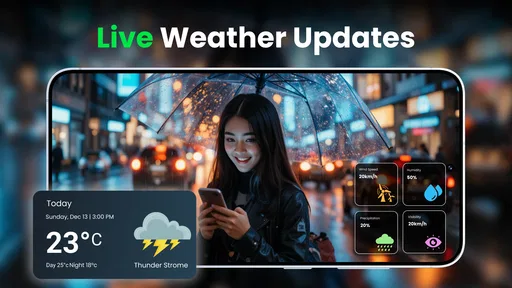
Traffic and route features can vary depending on the app version, location, and available data services. Voice GPS Navigation Direction may offer route guidance and, in some cases, updated travel information or alternative paths. However, users should not assume that every road closure, traffic jam, construction zone, or speed restriction will be detected immediately, so checking conditions before departure remains advisable.
Is Voice GPS Navigation Direction free to download and use?
The application may be available as a free download, but some features can depend on advertising, optional purchases, subscriptions, or device and region support. Before installing, review the store listing for current pricing, in-app purchase details, permissions, and privacy information. Also remember that using navigation continuously can consume battery and mobile data, especially when maps or live services are active.


